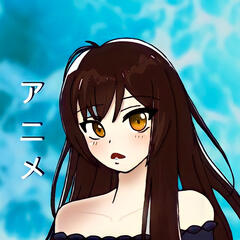
Kyoka
Hi, my name is Kyoka! On February 7, I made my first ever anime edit and since then, I’ve made over a thousand more! I’m incredibly grateful to my followers and friends for being constant motivation. It’s been an amazing few months since I first started editing and I’m extremely thankful for everything that has happened <3Whether you’re here for information on tutorials or just to get to know me better, I hope this site helps you!
Favorite Boys
some of my favs- not in any particular order!!
(click on the picture for better quality)


About Me
BASIC INFO
name: kyoka
ethnicity: asian
pronouns: she/her
favorite anime: attack on titan
favorite color: blue
squad: kenshi squad
NAME
a lot of people asked me how i came up with my username “kyokaski.” i’m not completely sure to be honest, but it’s probably because: kyoka= my name. ski= sky, the sky is blue, and blue is my favorite color. in conclusion, i’m not creative at all😭EDITING
i love all styles of editing, but my favorite is daddy/raw! one of my favorite things to do is to watch edits on youtube. talented editors have my heart<3ACCOUNTS
i know i’ve been confusing a lot of people recently because of all my different accounts, so i’ll clear it up. i have 3 accounts:main account: kyokaski
tutorial account: @kyokaski.tutorials
backup account: *@skikyokaalso, i have a completely new account since my main has been shadowbanned for too long now: kyokasukiCREDITSa lot of you ask what anime my pfp is from- it’s actually not from any anime! it’s a pfp customized for me by a talented sibling!!
my pfp was animated by the talented @garou.k on tiktok!
helpful information for you <3
QUALITY
a lot of you ask about my quality! i do use after effects but not as often as my mobile apps because my edits on ae take way too long to render.to get my quality (on phone), it’s a bit time consuming. i go through about 3-5 apps every time and i fix each clip separately. (if you’re interested in ALL the apps that i use, i have a video of that on my tutorials account)here are some quick tips for the some of the apps that i use:- alight motion: use the saturation and highlight effects in a way that compliment each other. for example, turn saturation up to about 60. depending on the clip, it’ll probably be TOO saturated. now you have to turn highlights up which gets helps get rid of that excessive saturation. play around with it and make sure the colors aren’t grossly bright! (use shadow necessary) along with that, i also use color tune which is very useful if you’re trying to color correct the clip.
- video star: the cc on this app is amazing as well as the sharpen (i always use 100 intensity and 0-5 courseness). i’ve already done a few tutorials about quality on this app so check it out on @kyokaski.tutorials!TUTORIALS
my tutorials account is @kyokaski.tutorials. ask questions in the Q&A and please provide a link!MAIN APPS
video star/ alight motion/ after effectsABOUT REPOSTS
reposts are okay ONLY if you give credits in the CAPTION! the same applies if you are going to take one of my intros!CONTACT INFORMATION
if you have a question, there are several ways to contact me:- if your question is regarding a tutorial, then head over to my tutorials account @kyokaski.tutorials and ask in my Q&A
- my tiktok dms are open!
- my instagram is linked here so you can dm me on there
- my twitter is linked here so you can message me on there